
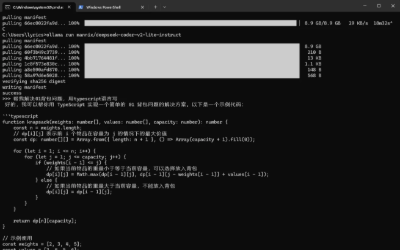
AMD显卡环境下使用Ollama本地部署AI模型
前言:Ollama 让本地运行大模型变得非常简单,但相比 NVIDIA 显卡,AMD 显卡在部署上会稍微复杂一些,需要借助社区方案才能正常使用。本文将快速记录在 Windows 环境下使用 Ollama 的完整流程,重点包括 AMD 显卡的解决方案、模型下载方式,并且在open-ui、lobecha
前言:Ollama 让本地运行大模型变得非常简单,但相比 NVIDIA 显卡,AMD 显卡在部署上会稍微复杂一些,需要借助社区方案才能正常使用。本文将快速记录在 Windows 环境下使用 Ollama 的完整流程,重点包括 AMD 显卡的解决方案、模型下载方式,并且在open-ui、lobechat、chatbox应用中使用ollama自定义大模型的方式。
一、下载ollama
下载地址:https://ollama.com/download
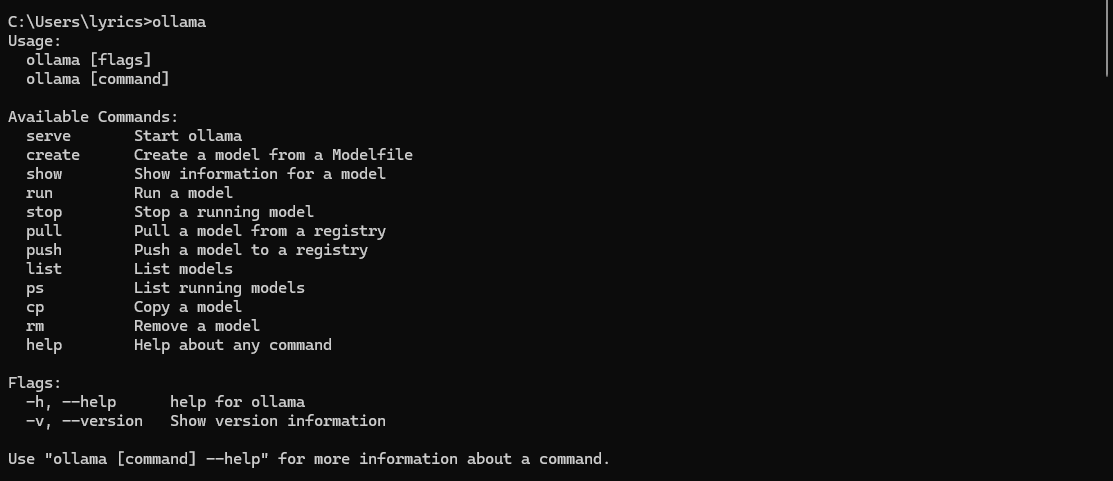
http://localhost:11434/

二、选择并下载模型
模型搜索地址:https://ollama.com/search
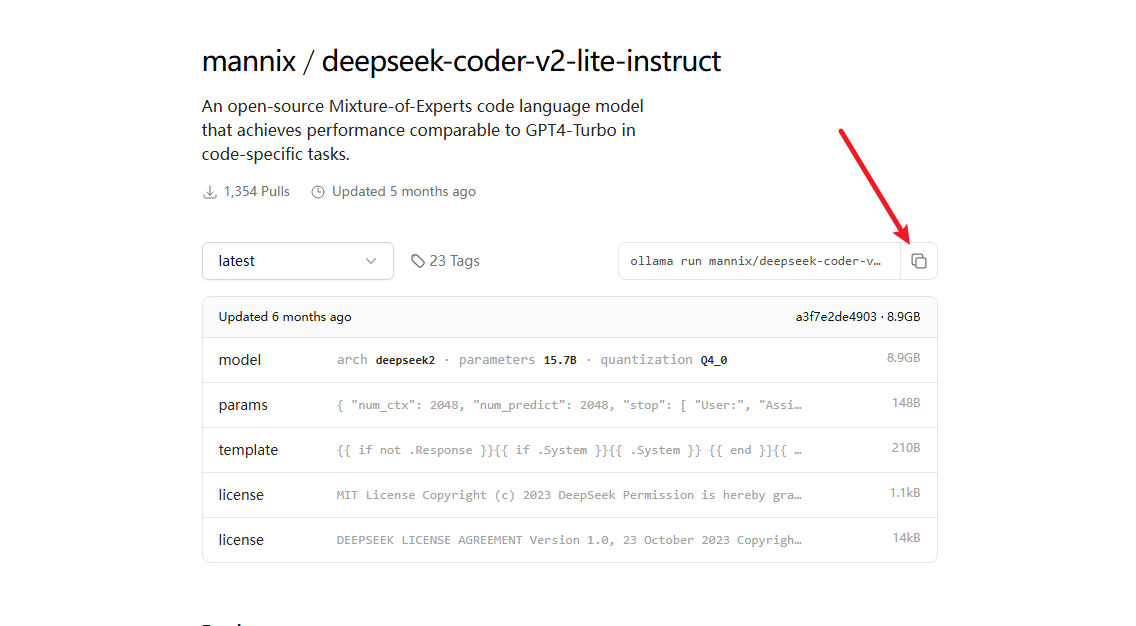
比如我要下载deepseek的deepseek-coder-v2-lite-instruct模型,在https://ollama.com/mannix/deepseek-coder-v2-lite-instruct中点击下面截图的命令执行即可
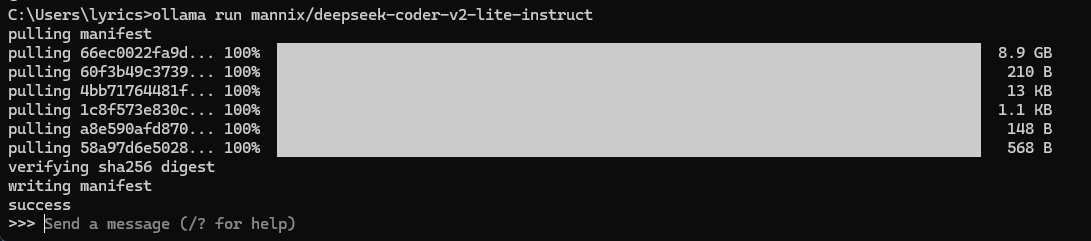
使用模型

三、让ollama支持【AMD Radeon RX 6750 GRE 12GB】显卡
由于 Ollama 中有部分 AMD 显卡不受支持,只能使用 CPU 推理,但实际上你可以修改来实现 GPU 推理。如果你的显卡是nvidia显卡或者下面列表包含在内的amd显卡,这个步骤不需要了。
- 查看显卡是否在Ollama支持列表:https://ollama.com/blog/amd-preview
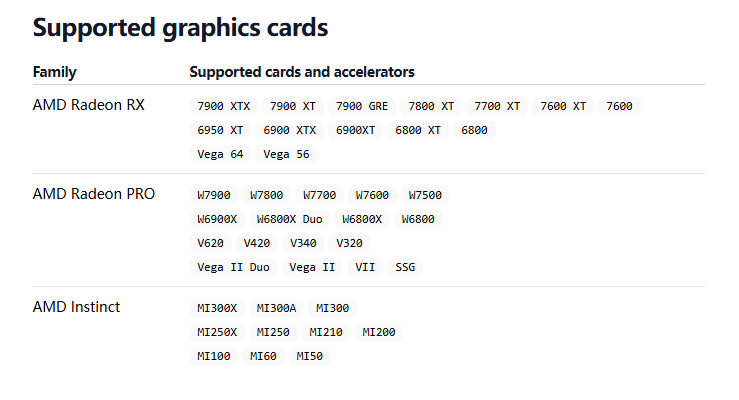
我的显卡版本是AMD Radeon RX 6750 GRE 12GB,嗯,很好,完美错过。
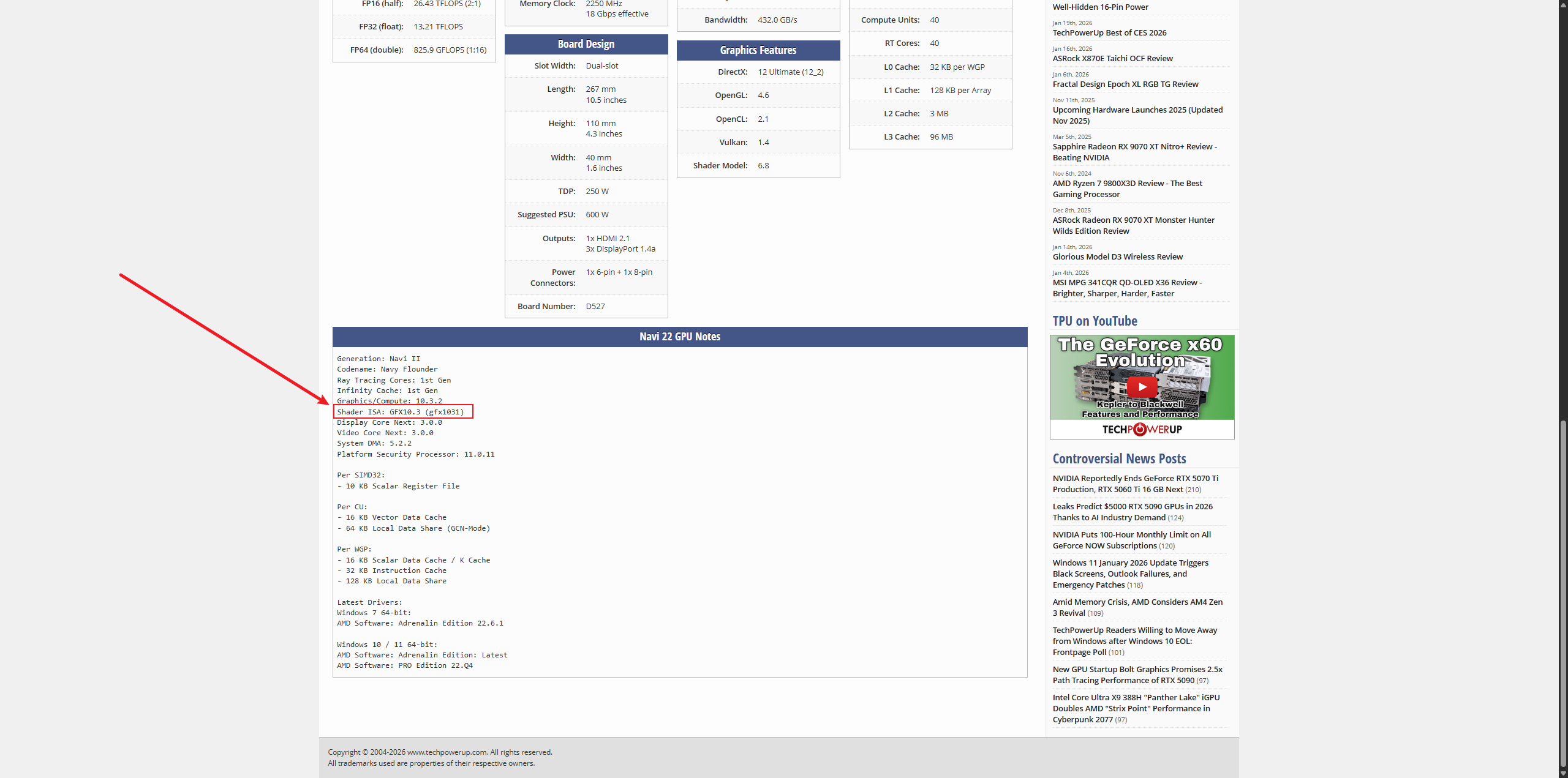
- 查看显卡对应的gfx版本:https://www.techpowerup.com/gpu-specs/
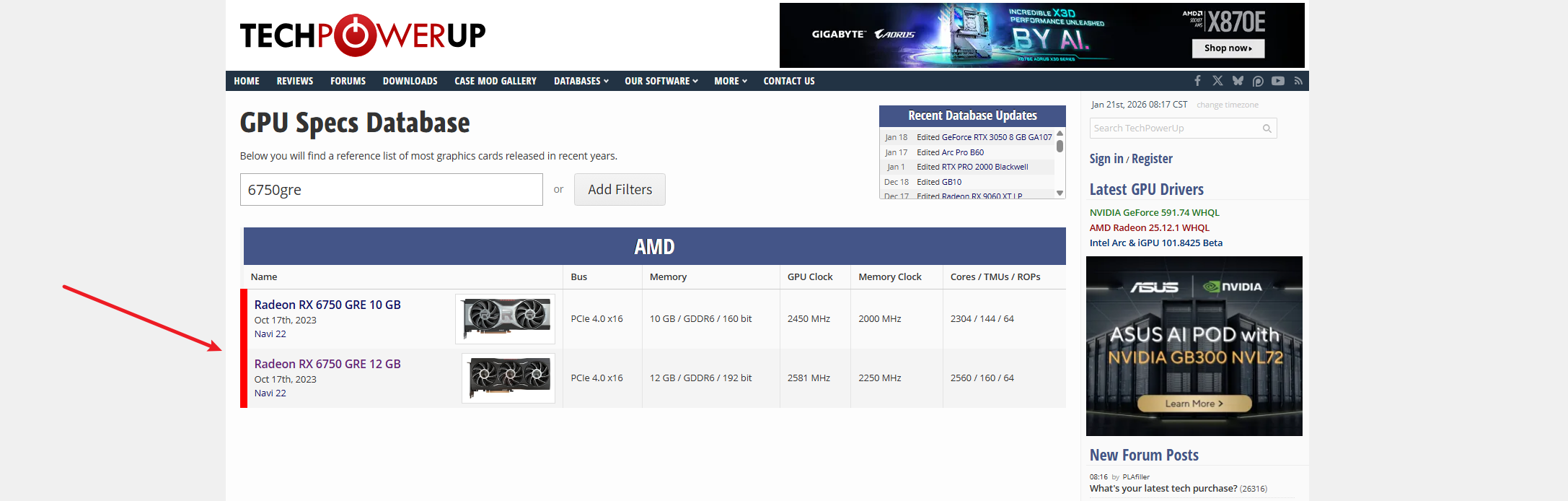
点进去查看
看上述GitHub release版本中是否有上述gfx的版本
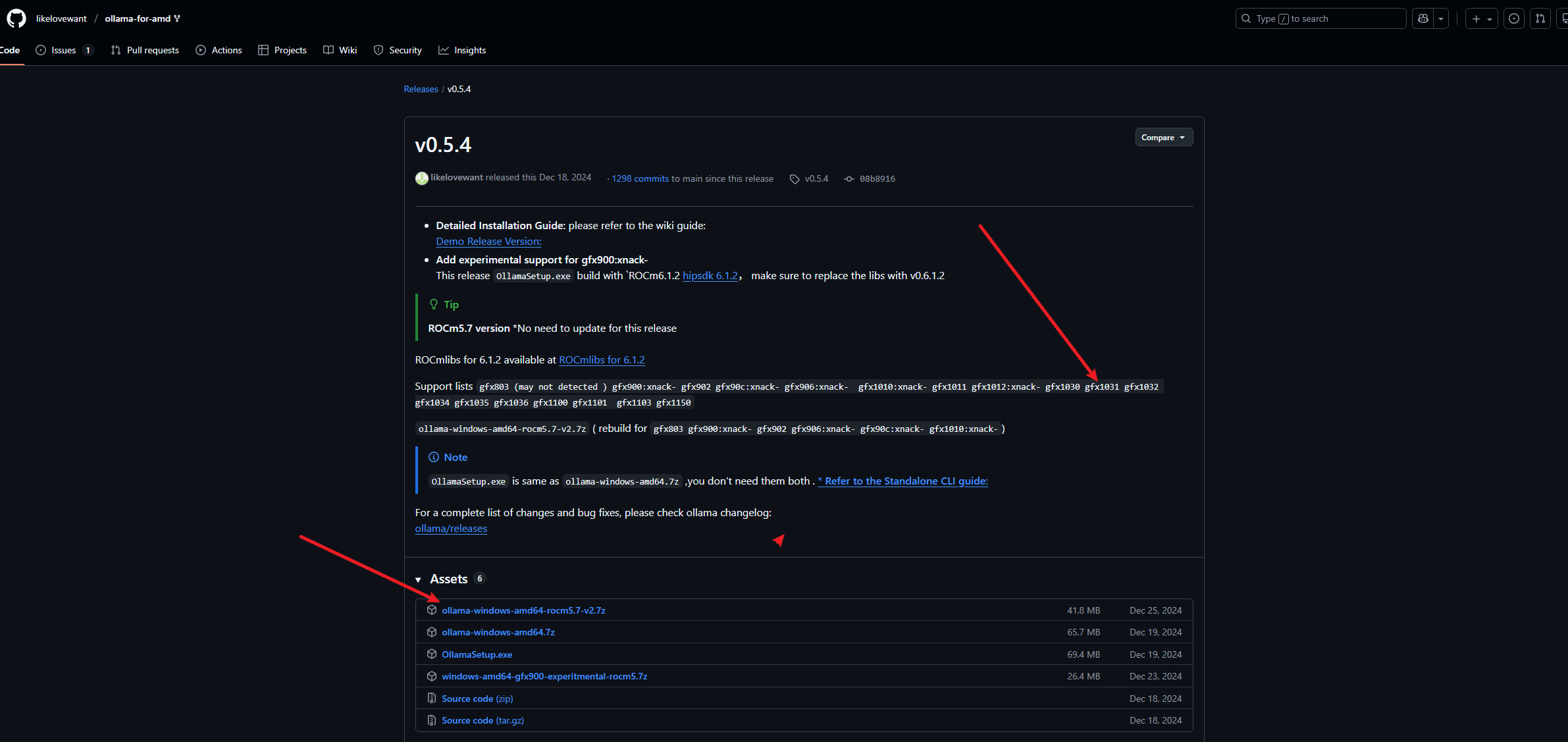
下载依赖包
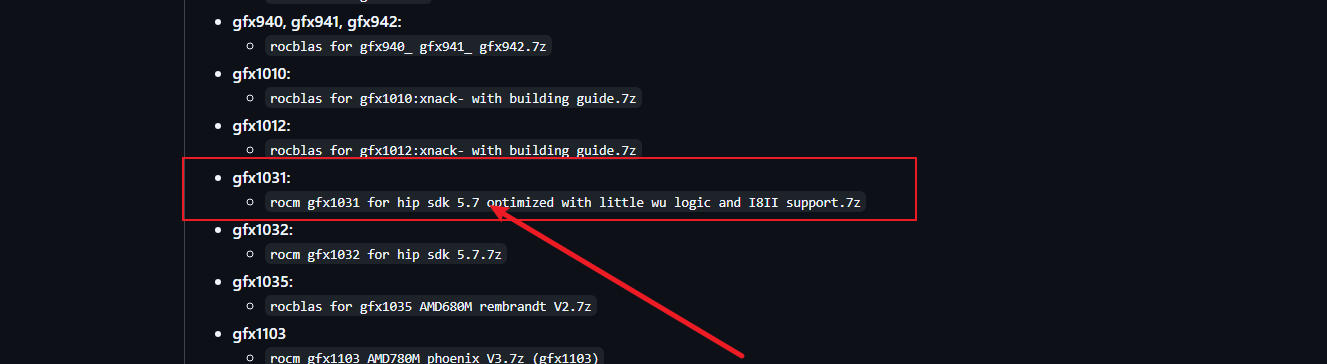
下载5.7版本即可,下载安装完重启电脑
- 移动文件
将下面rocblas.dll文件和library文件复制到电脑系统的指定文件夹
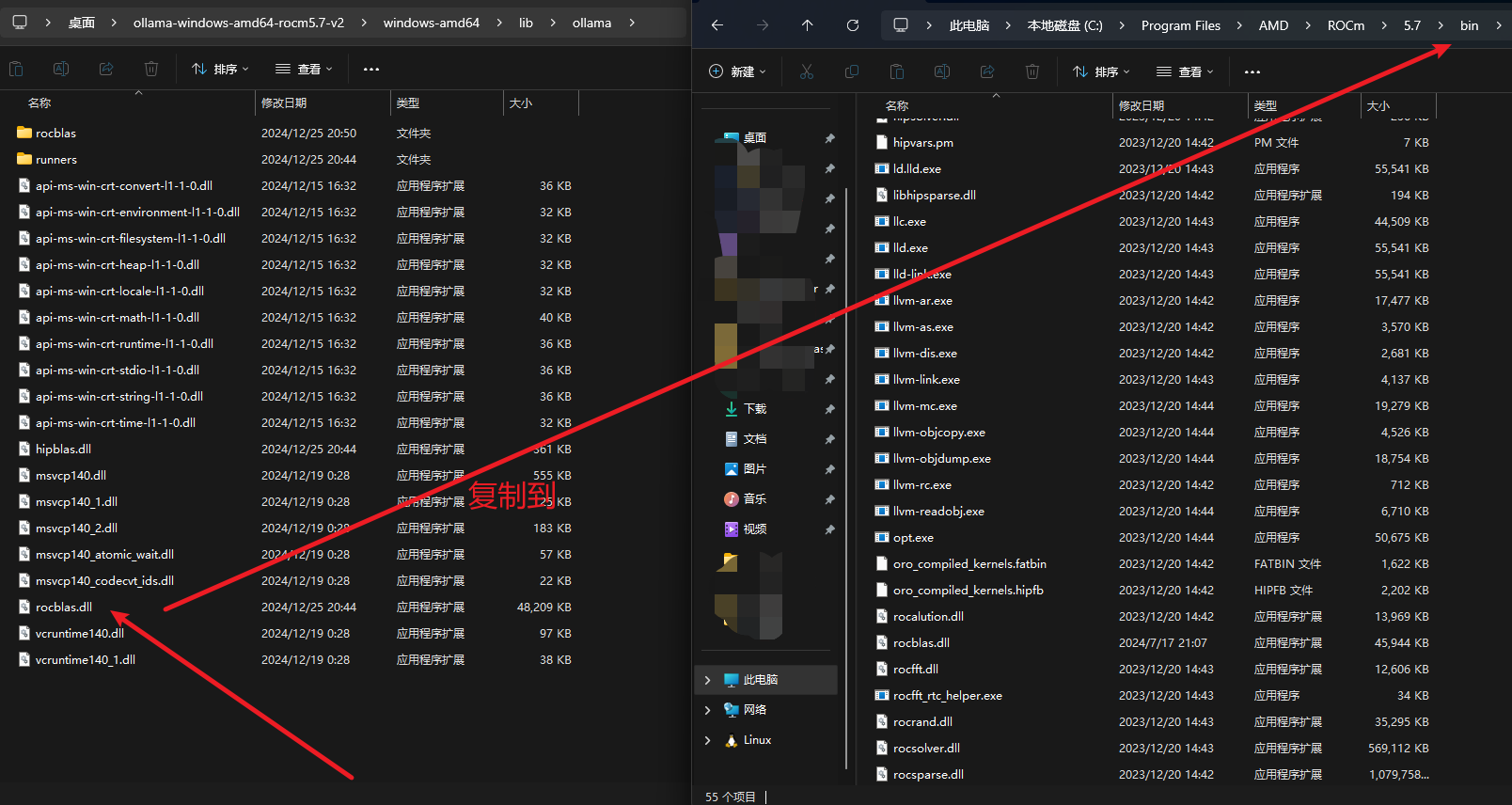
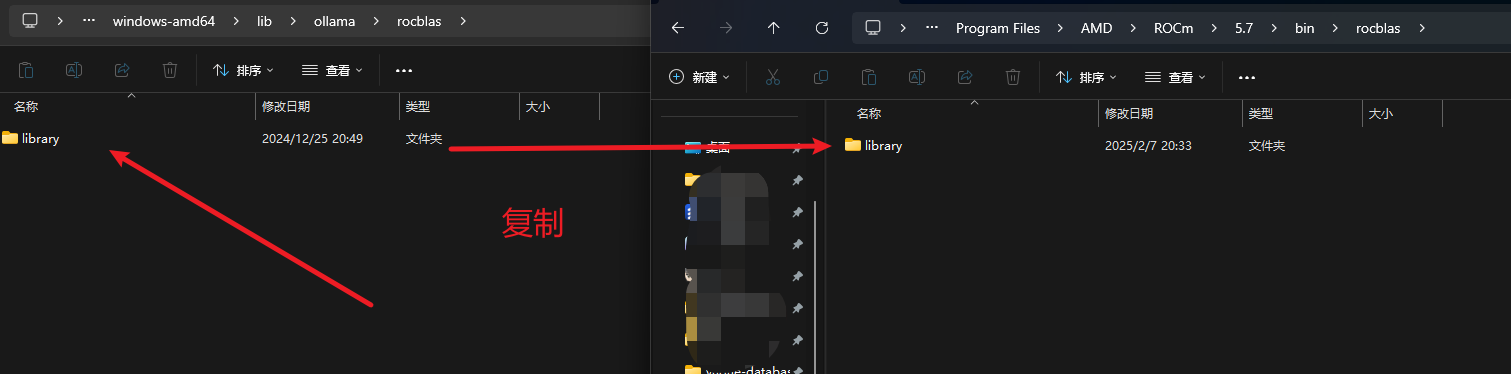
四、本地测试一下
使用官方推荐的open-webui来运行一下,也可以用下面推荐的Lobechat和Chatbox。
open-webui官方地址:https://github.com/open-webui/open-webui
下载:
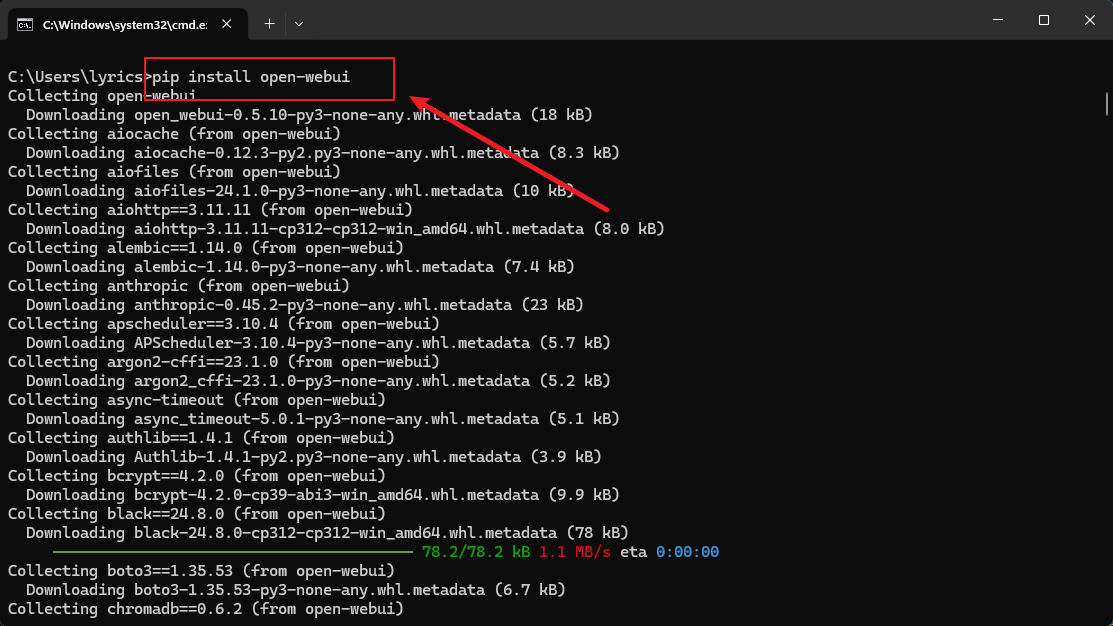
运行:open-webui serve
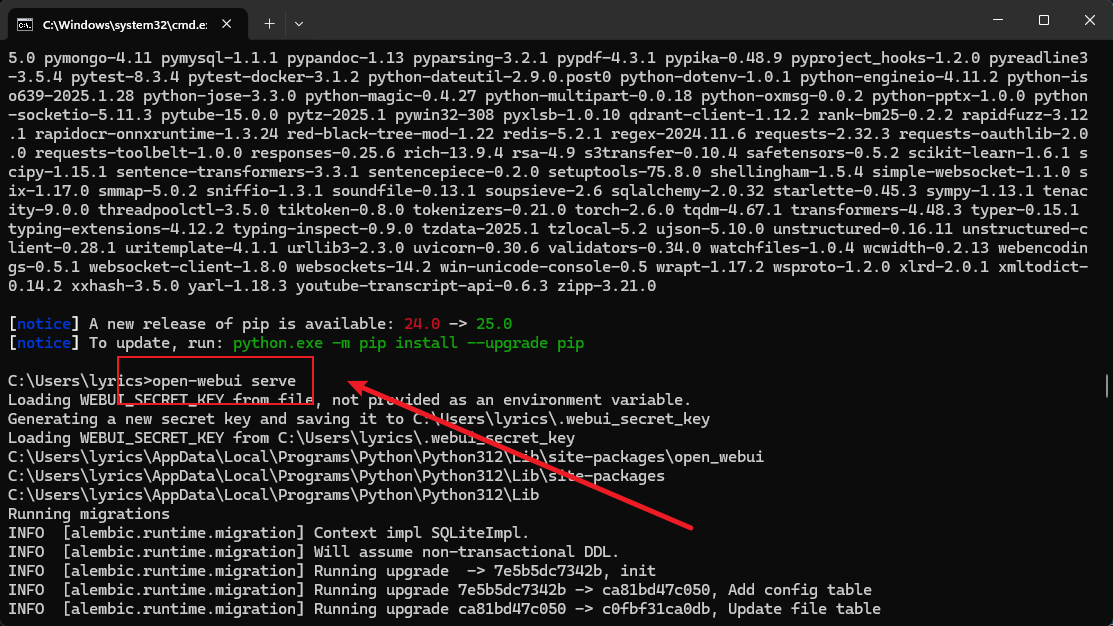
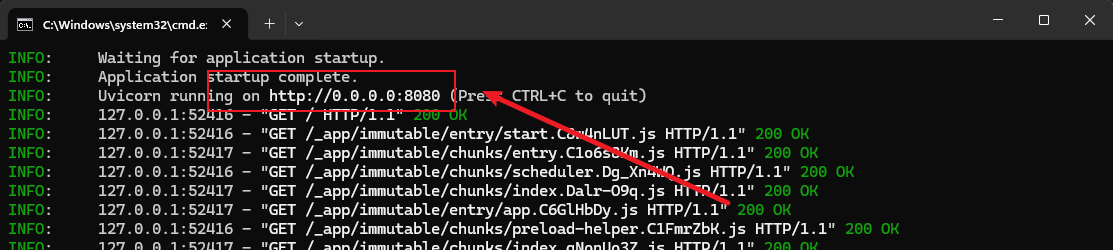
注册:一个管理员账号
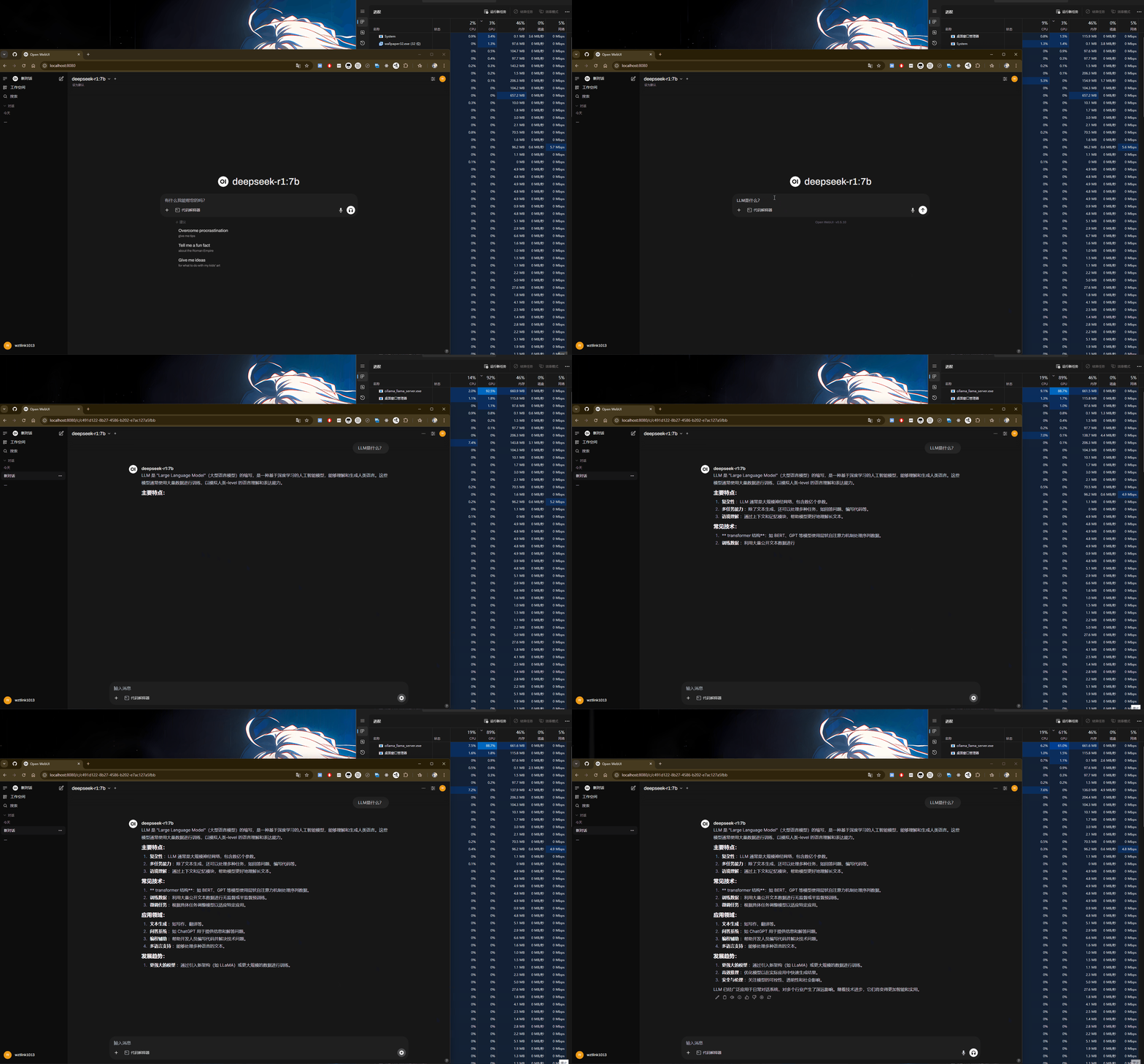
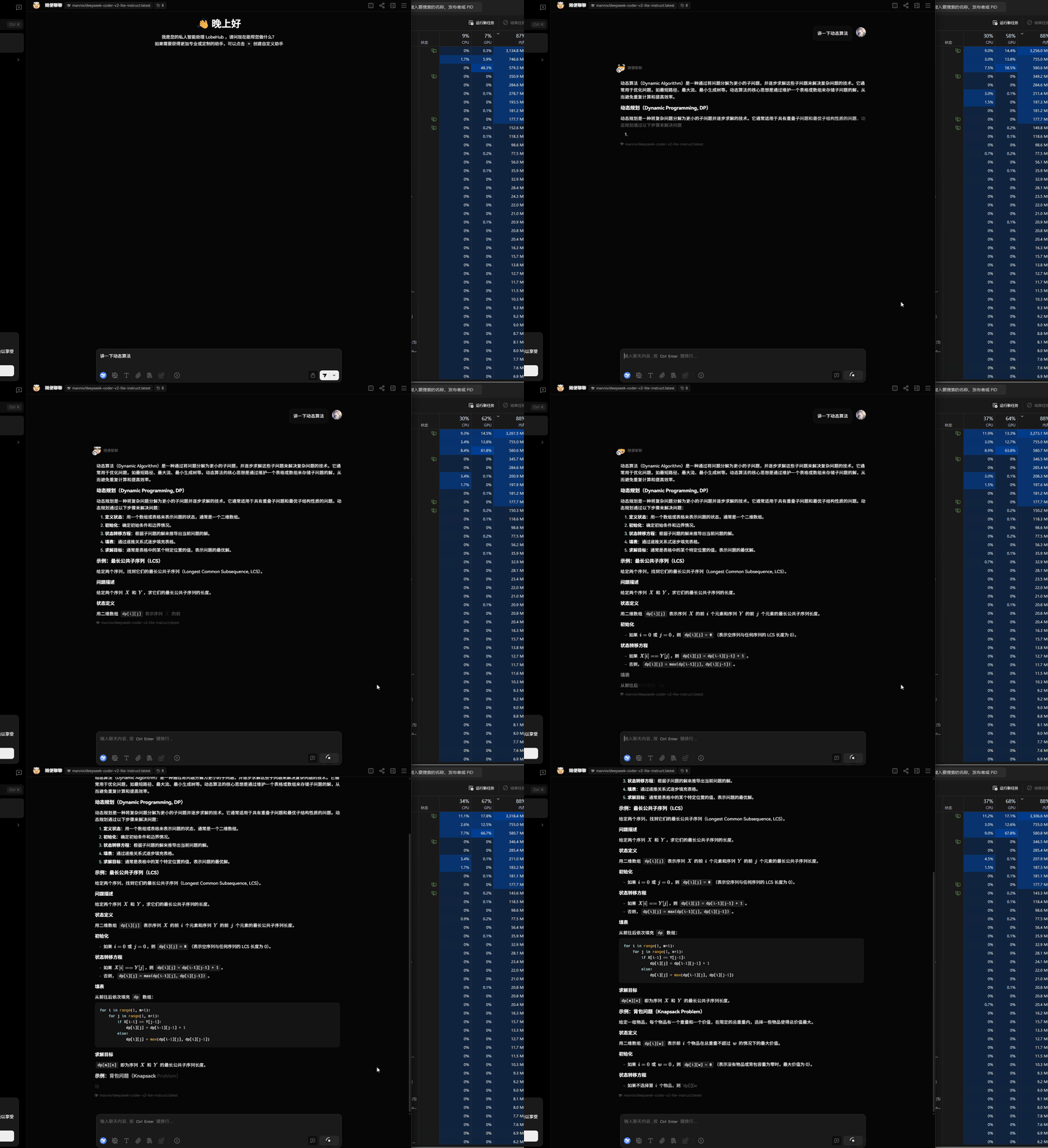
具体使用:如下图,可以看到当大模型正在处理过程中,GPU在全力计算
五、其他聊天工具
除了上述open-webui或者直接在终端中进行问答,为了日常方便,可以使用网页版来进行日常问答,这里推荐下面几个(类似的产品非常多,GitHub随便找):
- LobeChat:https://lobechat.com/
- Chatbox:https://chatboxai.app/
1. LobeChat
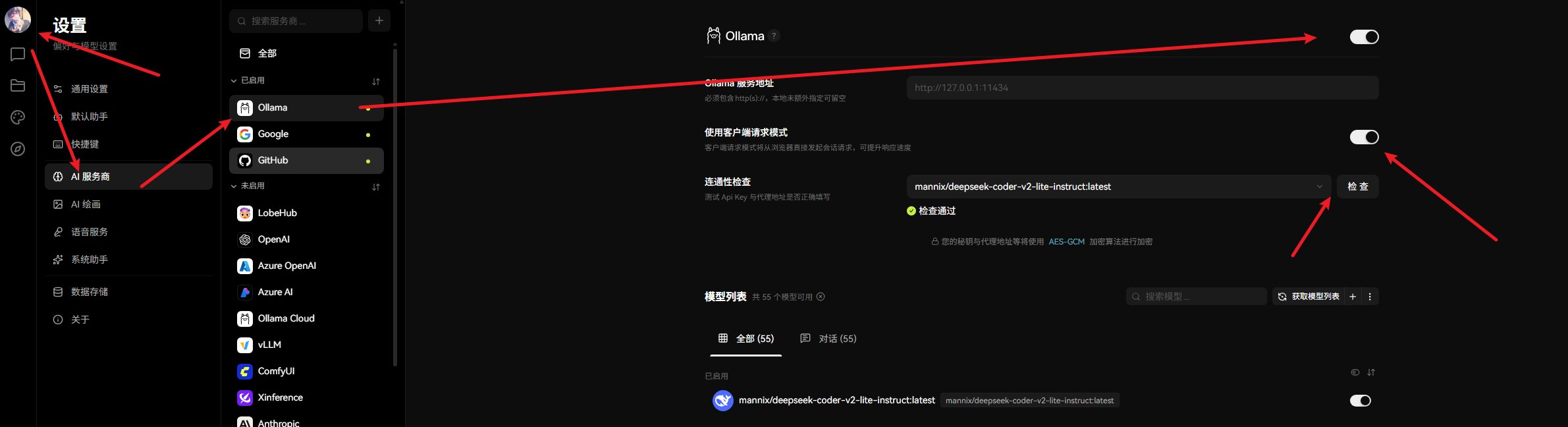
添加自定义AI供应商:
2. Chatbox
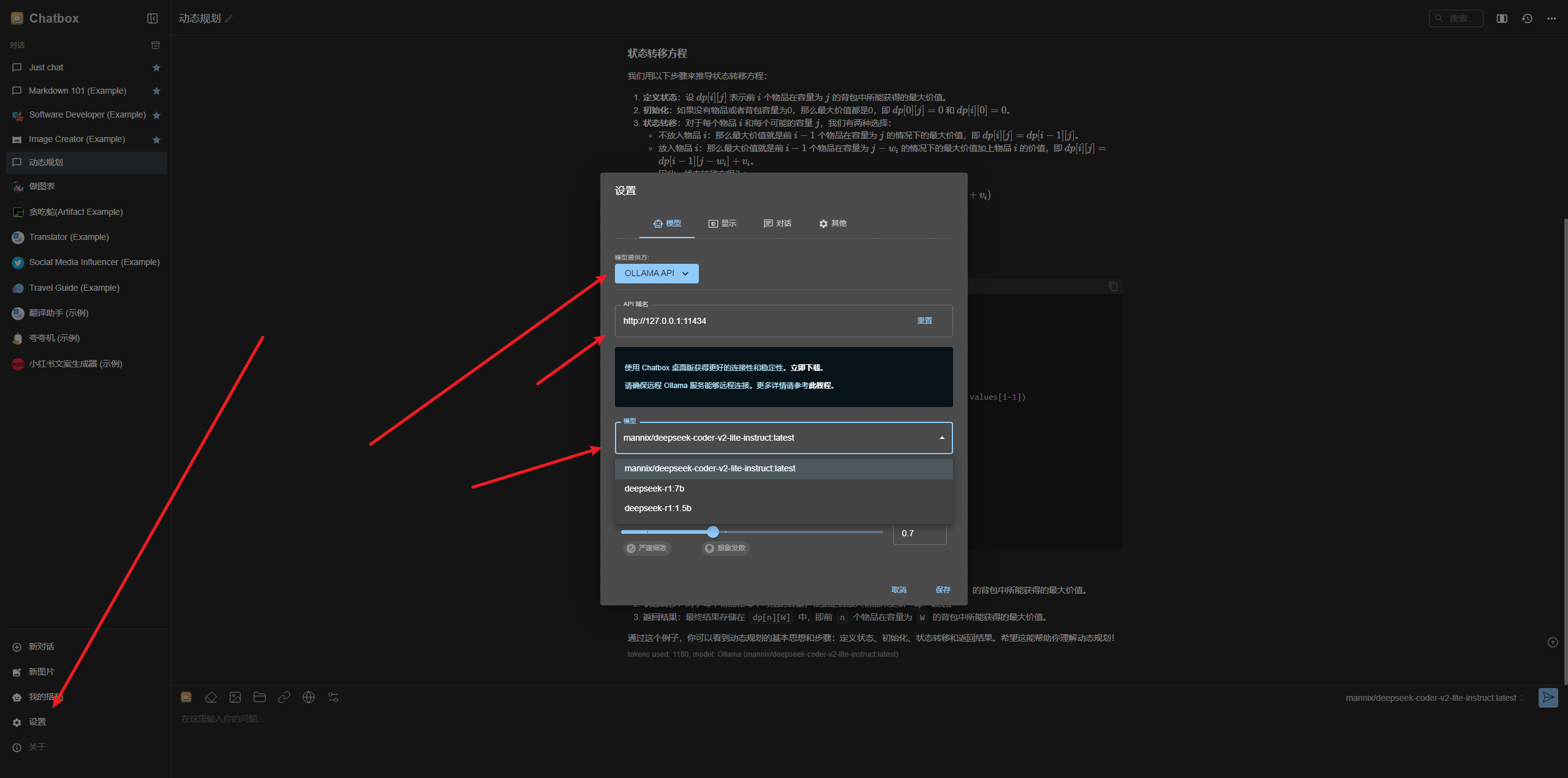
Chatbox可以使用本地模型来进行对话,本地设置
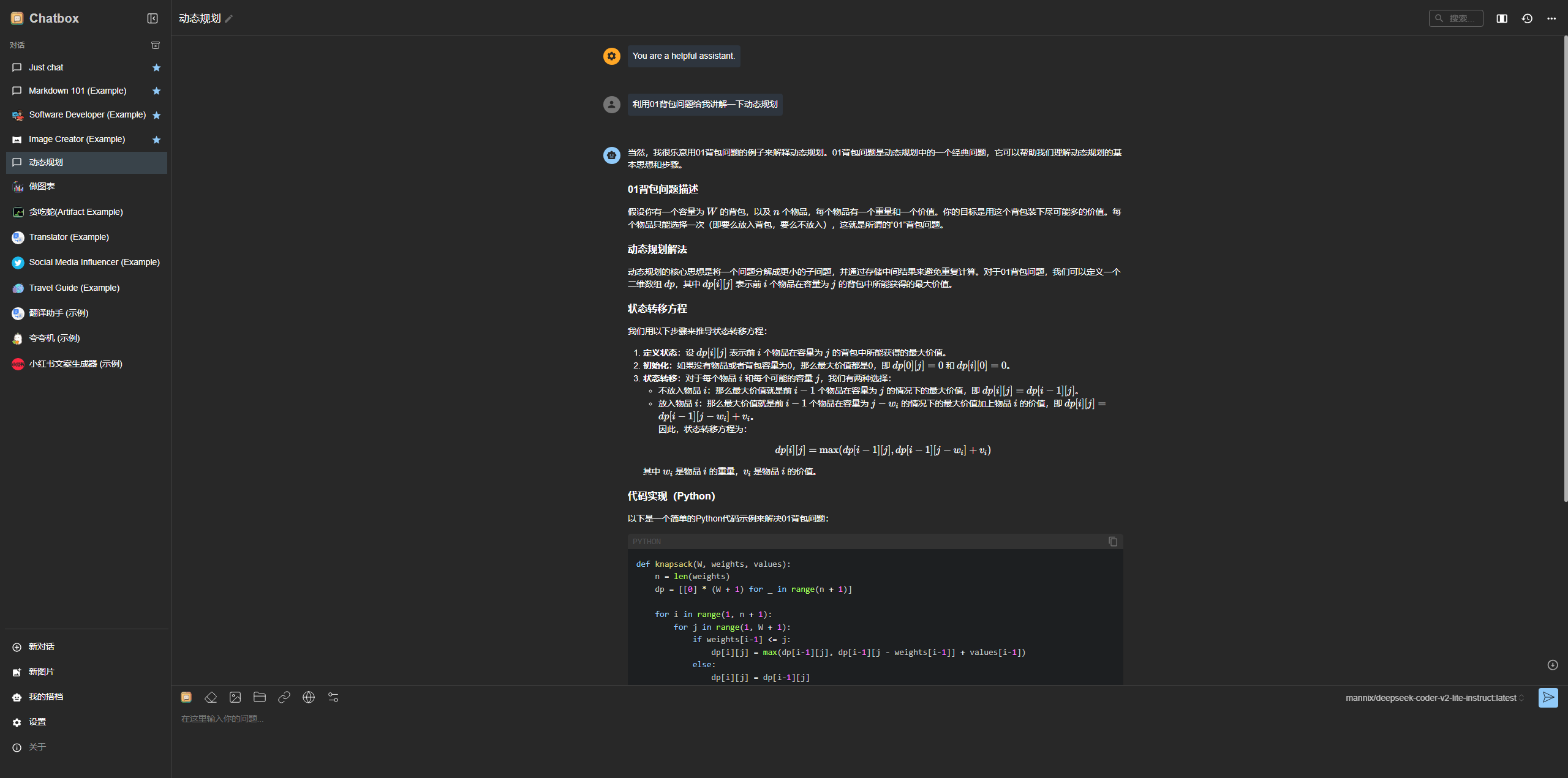
测试一下问答
本文目的是对AI本地部署的一种尝试,如果真要本地部署,建议买高性能显卡并且硬件设施全部升级。
文章评论区
来过,就留下你的脚印吧~